VN Video Editor for PC – Free Download for Windows 11 & 10
VN Video Editor is no longer limited to editing videos on a small mobile screen. If you want to edit on a laptop or desktop, VN Video Editor for PC gives you a much larger workspace for arranging clips, adding music, working with text, applying effects and managing longer video projects.

More importantly, Windows users no longer need to start with complicated Android emulator methods. VN now provides a Windows download option, making the setup much easier for modern Windows PCs.
This guide covers the latest way to download VN on PC, Windows compatibility, installation, useful features and solutions to common problems.
Is VN Video Editor Available for PC?
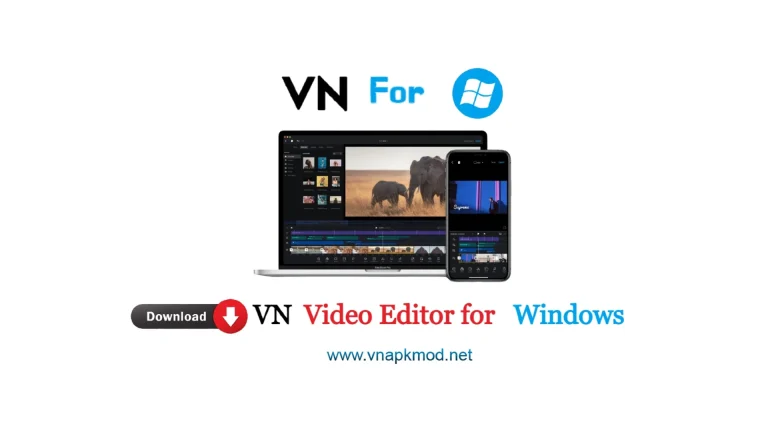
Yes. VN Video Editor is available for Windows PC.
This is important because many older VN tutorials still tell users to install BlueStacks or another Android emulator before they can use VN.
That information is now outdated for supported Windows computers.
The current VN download route provides a Windows option, so users with a compatible PC can install the desktop version instead of running the Android APK inside an emulator.
This gives PC users a much more natural editing experience with a mouse, keyboard, larger display and easier access to files stored on the computer.
VN Video Editor for PC Download
Before downloading VN, check which operating system your computer is using.
| Details | Information |
|---|---|
| Software | VN Video Editor |
| Platform | Windows PC |
| Price | Free download |
| Windows Support | Windows 10 or later |
| Emulator Required | No for the native Windows version |
| Best For | Video editing, Shorts, Reels, YouTube & social videos |
The official Windows information currently specifies Windows 10 or later. VN does not appear to publicly provide detailed minimum CPU, RAM and GPU specifications on its PC product information, so websites claiming exact official hardware minimums should be treated carefully.
Download VN Video Editor for Windows
For the safest installation, use the current Windows version rather than downloading an old PC package.
Important: The Windows application and Android APK are different. If you are using the native Windows version, you do not need to install an APK file through BlueStacks.
How to Download VN Video Editor on PC
Installing VN on a modern Windows computer is straightforward.
- Open the VN download page.
- Find the Windows download option.
- Download the current Windows installer.
- Wait for the download to finish.
- Open the downloaded installer.
- Follow the installation instructions shown on your PC.
- Launch VN after installation.
VN may update its installer and interface over time, so individual buttons can look slightly different from older screenshots.
VN Video Editor for Windows 11
If you’re using Windows 11, you can use the native PC version instead of installing the Android app through an emulator.
This is particularly useful for video editing because desktop editing gives you more room for the timeline and media library. Moving files from folders, arranging clips with a mouse and working on a larger display can also be more comfortable than editing a long project entirely on a phone.
Performance, however, still depends on your computer.
A laptop capable of opening VN isn’t necessarily going to edit complex 4K projects smoothly. High-resolution footage, multiple video layers, effects and longer timelines require more processing power and memory.
For smoother editing:
- Close unnecessary applications while editing.
- Keep enough free storage for source footage and exported videos.
- Update Windows and graphics drivers.
- Use lower-resolution preview files when a large project becomes slow.
- Avoid running several heavy programs alongside VN.
VN Video Editor for Windows 10
VN’s current PC information also lists Windows 10 as supported.
The installation process is essentially the same: download the Windows installer, install the program and import your videos into a new project.
If VN runs slowly on an older Windows 10 laptop, reducing project complexity can make a noticeable difference. Editing 1080p footage will generally put less pressure on the computer than working with multiple layers of high-bitrate 4K footage.
Can You Install VN Video Editor on Windows 7?
This is one area where users should be careful with old tutorials.
You may still find websites claiming that VN works on Windows 7 through an Android emulator. However, the current native Windows version is reported as requiring Windows 10 or later.
Therefore, we would not describe Windows 7 as officially supported by the current native VN PC version.
If you’re still using Windows 7, upgrading to a currently supported Windows version is the better long-term option.
Do You Need BlueStacks for VN Video Editor?
Not if you’re installing the current native Windows version on a supported PC.
BlueStacks was useful when users wanted to run the Android version of VN on Windows. That’s why many old tutorials—including older guides on the web—still show this method.
But running an Android video editor inside an emulator adds another software layer between VN and your computer.
For most Windows 10 and Windows 11 users, the native Windows version should therefore be the first option to consider.
An emulator is better treated as an alternative for a specific compatibility need rather than the standard installation method.
Why Use VN Video Editor on a PC?
The basic editing concept remains familiar, but moving from a phone to a computer changes how comfortably you can work.
Larger Editing Workspace
A larger monitor gives you more room to view your timeline, clips and editing controls.
This becomes particularly useful when a project contains many clips, text elements and audio tracks.
Mouse and Keyboard Control
Dragging clips, selecting small timeline elements and managing files can feel more precise with a mouse.
Keyboard input also makes working with longer titles and captions easier.
Easier File Management
Creators often store camera footage, screen recordings, music and other assets in separate folders.
On a PC, these files can be organized before they are imported into a project.
Better for Longer Editing Sessions
Editing a short Reel on a phone is convenient.
But when a project takes an hour or more to finish, a desktop setup with a larger display can be much more comfortable.
VN Video Editor PC Features
VN includes many of the tools creators expect from a modern video editor.
Multi-Track Timeline
Arrange video, images, audio and other elements on a timeline instead of being restricted to a single basic video track.
Keyframe Animation
Keyframes let you change properties over time and create movement or animation within a scene.
Text and Titles
Add titles, captions and other text elements to videos.
This is particularly useful for YouTube videos, tutorials, Shorts and social media content.
Filters and Effects
VN provides visual tools that can change the overall appearance of a clip without requiring separate editing software.
Music and Audio
Add background music and other audio elements to a project and position them along the timeline.
Speed Controls
Speed tools can be useful for slow-motion sequences, fast edits and short-form content.
High-Resolution Editing and Export
VN promotes support for high-quality video workflows, including 4K video.
Keep in mind that higher-resolution projects place more demand on your PC hardware.
How to Edit a Video with VN on PC
Once VN is installed, your first project doesn’t need to be complicated.
Start a new project and import the video clips you want to edit.
Place your main footage on the timeline and remove sections you don’t need. You can then add music, text, transitions or other elements depending on the type of video you’re creating.
Before exporting, watch the complete video once.
Check:
- cuts and transitions;
- spelling in titles;
- audio levels;
- video aspect ratio;
- beginning and ending;
- export resolution.
Then choose appropriate export settings for the platform where the video will be uploaded.
For example, a vertical short-form video and a normal YouTube landscape video require different aspect ratios.
VN on PC vs Mobile: Which Is Better?
Neither platform is automatically better for everyone.
| VN on PC | VN on Mobile |
|---|---|
| Larger workspace | Edit anywhere |
| Mouse & keyboard control | Touch controls |
| Easier file organization | Convenient for quick clips |
| Comfortable for long projects | Excellent for fast social edits |
| Better desktop workflow | No computer required |
If you make quick videos while travelling, the mobile version is extremely convenient.
If you regularly work with lots of footage or spend long periods editing, VN Video Editor on PC can provide a more comfortable workflow.
VN Video Editor for PC Not Working?
If VN doesn’t open or performs poorly, don’t immediately uninstall it.
Try these basic checks first.
VN Does Not Open
Restart the PC and try opening VN again.
Also make sure you’re running a supported Windows version and that Windows itself is up to date.
VN Is Lagging
Close browsers, games and other memory-heavy programs.
Large video files and complex projects naturally require more resources than simple 1080p edits.
Video Preview Is Slow
Try reducing the complexity of the timeline temporarily.
Effects, multiple layers and high-resolution footage can all make real-time playback harder on lower-powered PCs.
Export Fails
Check available storage space first.
Video exports can require considerable temporary and final storage, particularly at higher resolutions.
Also try restarting VN before attempting the export again.
Installation Fails
Download a fresh installer from the current source rather than repeatedly using an old setup file.
If Windows security software displays a warning, verify where the installer came from instead of simply disabling security protection.
Is VN Video Editor for PC Free?
VN is promoted as a free video editor, and its current product messaging includes free editing features and watermark-free workflows.
However, features and commercial offerings can change as software is updated.
For that reason, always check the current version for any feature-specific restrictions instead of relying on an old article describing what was free several years ago.
Is VN Video Editor Available Online?
Users searching for “VN Video Editor for PC online” may be looking for a version that runs completely inside a web browser.
Don’t confuse a website with the actual Windows application.
For PC editing, use the supported desktop application when you want the VN editing environment on Windows.
Should You Use VN Video Editor on a Laptop?
Yes, provided the laptop runs a supported Windows version and has sufficient performance for the footage you’re editing.
You don’t necessarily need an expensive gaming computer for basic video editing.
However, project complexity matters.
A simple 1080p social media video is very different from a long 4K project containing many effects, overlays and audio layers.
Frequently Asked Questions
Can I download VN Video Editor on my PC?
Yes. VN currently provides a Windows PC download option. On a supported Windows computer, you don’t need to rely on an Android emulator as the primary installation method.
Is VN Video Editor available for Windows 11?
Yes. The current Windows version supports modern Windows PCs, including Windows 11.
Can I use VN Video Editor on Windows 10?
Yes. The current PC information lists Windows 10 or later as the Windows requirement.
Does VN Video Editor work on Windows 7?
The current native Windows version should not be presented as officially supporting Windows 7; current PC information specifies Windows 10 or later. Older emulator-based tutorials are a different method.
Do I need BlueStacks to use VN on PC?
No, not for the current native Windows version on a compatible computer. Older tutorials commonly used Android emulators because the Windows option was not available in the same way.
Can I use VN Video Editor without an emulator?
Yes. That’s one of the biggest changes compared with older VN-for-PC guides: compatible Windows users can use the native PC route instead.
Is VN good for YouTube videos?
VN contains timeline editing, text, audio, keyframes and high-resolution video capabilities that can be useful for YouTube and other creator workflows.
Final Words
VN Video Editor for PC is now much easier to use than the old emulator-based setup many tutorials still describe.
If you’re running Windows 10 or Windows 11, start with the current native Windows version. It gives you the advantages of editing on a larger screen without having to run the Android app inside BlueStacks.
For beginners, the biggest advantage is simplicity. You can import your footage, arrange clips on a timeline, add text, music and effects, and export the finished video from the same editing environment.
And if you’ve used VN on mobile before, moving to a PC gives you something particularly useful: more room to edit.

Jack is a highly skilled specialist in SEO, immersing himself in the realms of apps, games, and artificial intelligence, providing exceptional perspectives and in-depth analysis.